
Skip to content
(508) 735-4853
176 Worcester-Providence Turnpike Sutton, MA 01590
[email protected]
Home
About Us
Contact Us
Apparel
Holsters
Blog
Sell My Gun
Join Our Team
Home
About Us
Contact Us
Apparel
Holsters
Blog
Sell My Gun
Join Our Team
Shop MA Legal Firearms
MA Compliant ARs
MA Compliant Handguns
MA Compliant Rifles
MA Compliant Shotguns
Handgun Frames and Fixed Mag AR Receivers
Shop All Firearms
Handguns
Rifles
Shotguns
Frames and Receivers
Shop Used Guns
Shop Digital Gift Cards
Sell My Gun
LTC Classes
More
About Us
Apparel
Blog
Contact Us
Holsters (External Link)
Join Our Team
Shop MA Legal Firearms
MA Compliant ARs
MA Compliant Handguns
MA Compliant Rifles
MA Compliant Shotguns
Handgun Frames and Fixed Mag AR Receivers
Shop All Firearms
Handguns
Rifles
Shotguns
Frames and Receivers
Shop Used Guns
Shop Digital Gift Cards
Sell My Gun
LTC Classes
More
About Us
Apparel
Blog
Contact Us
Holsters (External Link)
Join Our Team
$
0.00
0
Cart
Search Products
×
Shop MA Legal Firearms
MA Compliant ARs
MA Compliant Handguns
MA Compliant Rifles
MA Compliant Shotguns
Handgun Frames and Fixed Mag AR Receivers
Shop All Firearms
Handguns
Rifles
Shotguns
Frames and Receivers
Shop Used Guns
Shop Digital Gift Cards
LTC Classes
Shop MA Legal Firearms
MA Compliant ARs
MA Compliant Handguns
MA Compliant Rifles
MA Compliant Shotguns
Handgun Frames and Fixed Mag AR Receivers
Shop All Firearms
Handguns
Rifles
Shotguns
Frames and Receivers
Shop Used Guns
Shop Digital Gift Cards
LTC Classes
MIRCS Unified Gun Portal Account Setup
Need help making a MIRCS portal to register or transfer a gun? This short guide we made should help.
Click here to make a MIRCS Account
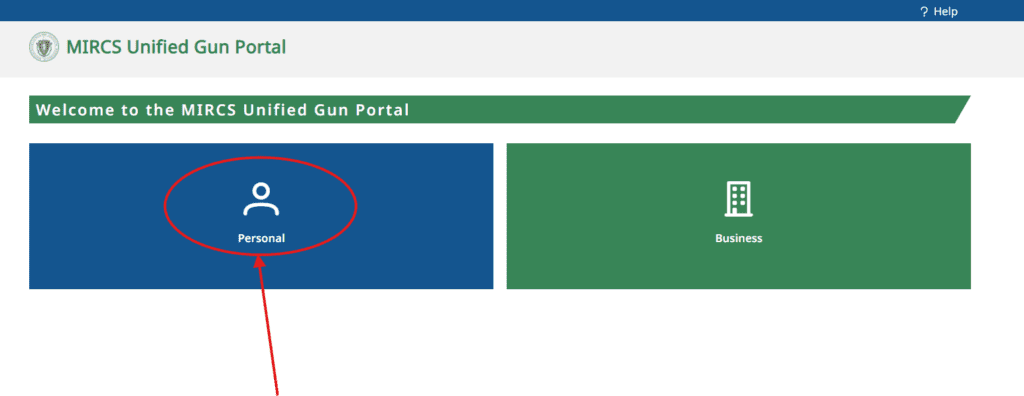
Step 1
Go the Portal and click on Personal. Use the red button above.
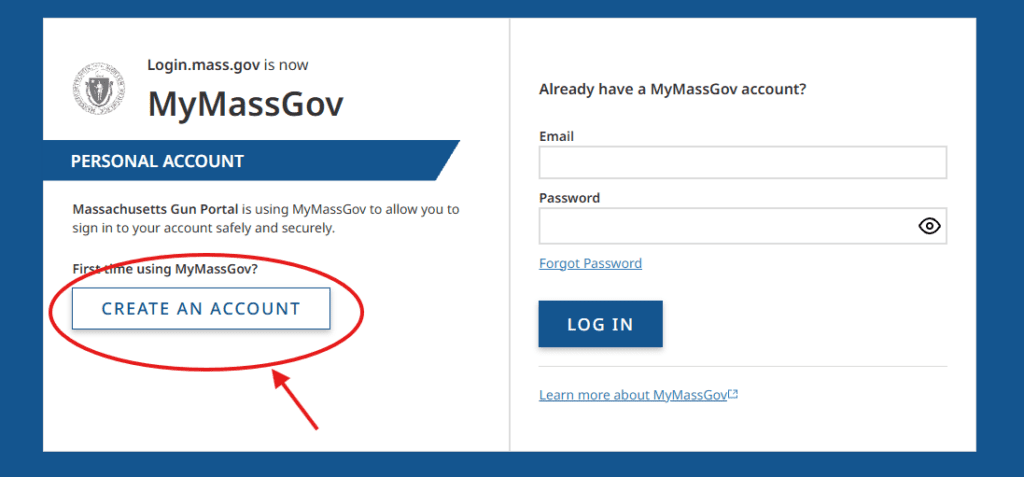
Step 2
Click on Create an Account
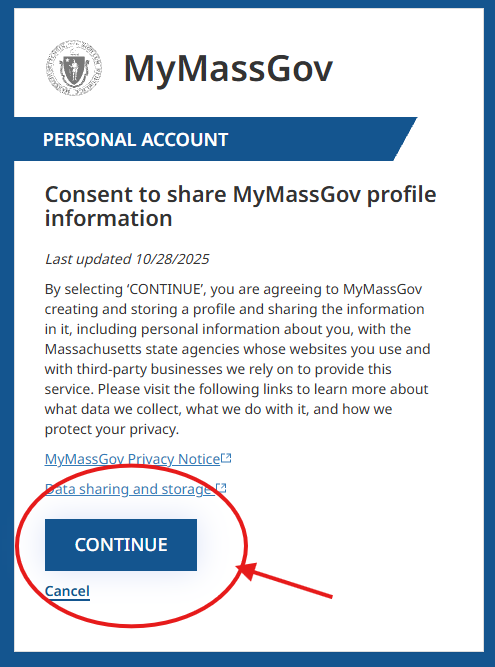
Click Continue to Get Past the Consent
Step 3
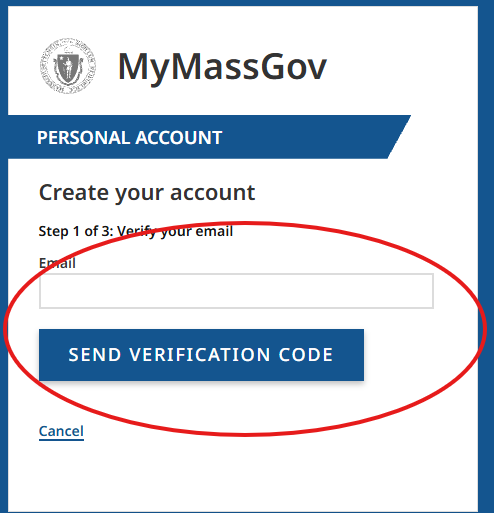
Enter in your Email for a Verification Code and Click the Blue Send Button
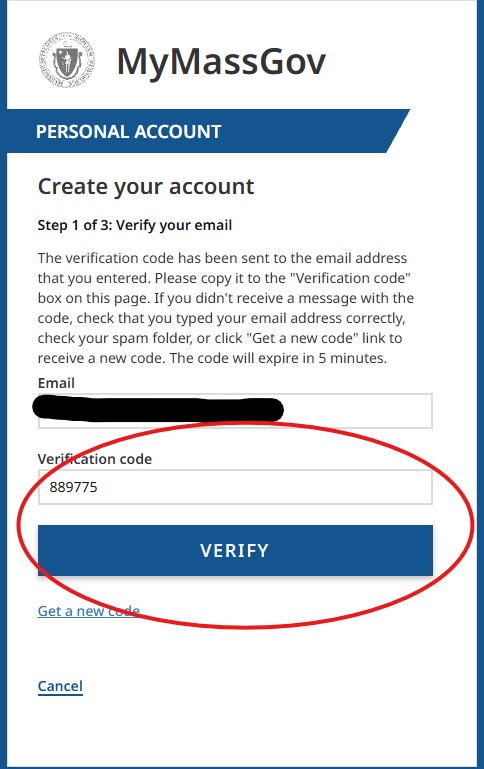
Enter the Code on the Next Screen and Click Verify
Step 4
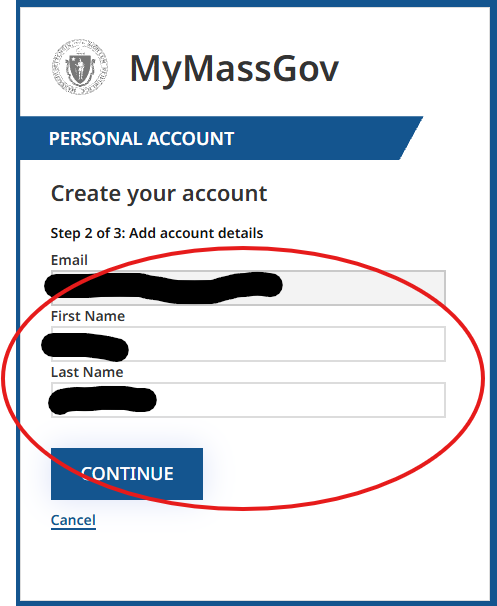
Enter in your First and Last Name
Step 5
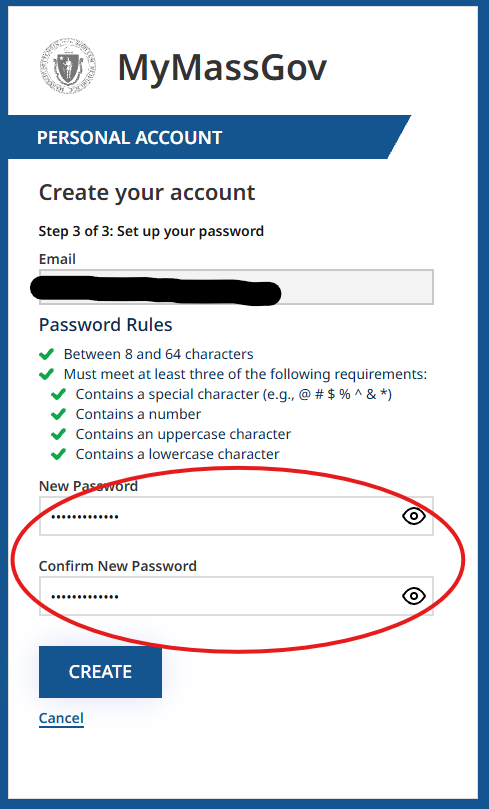
Create a Password and Save it Somewhere Safe
Step 6
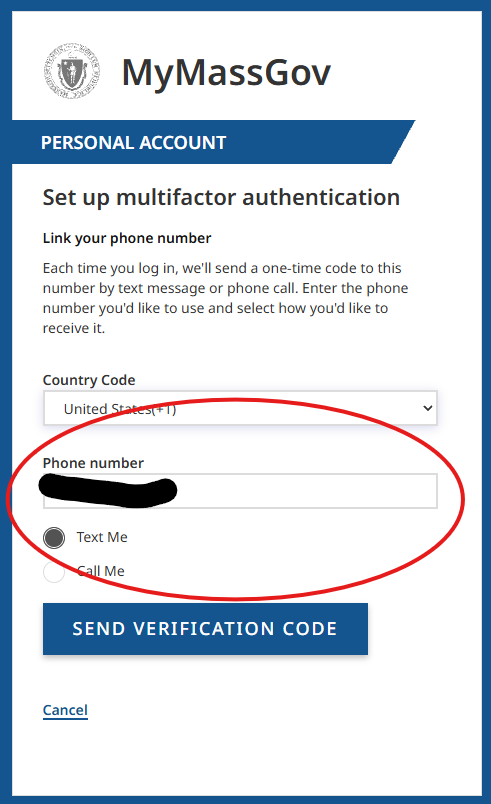
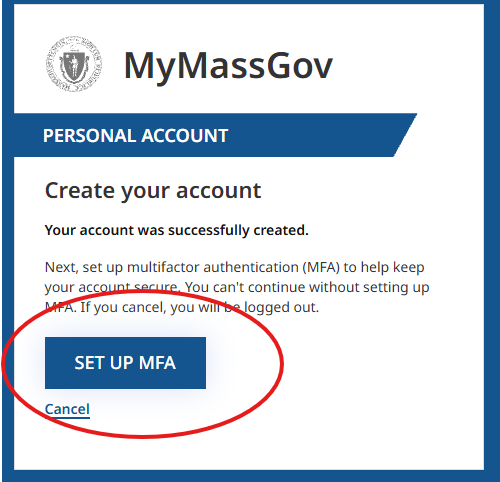
Set up Multi Factor Authentication
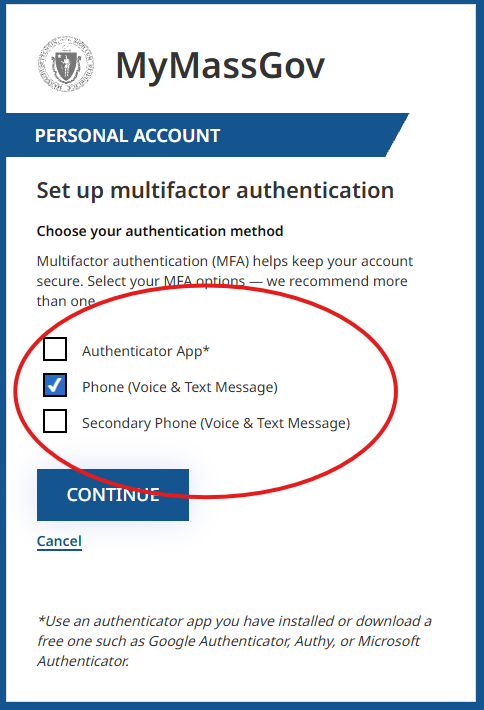
We Suggest Using a Phone Number as the Option
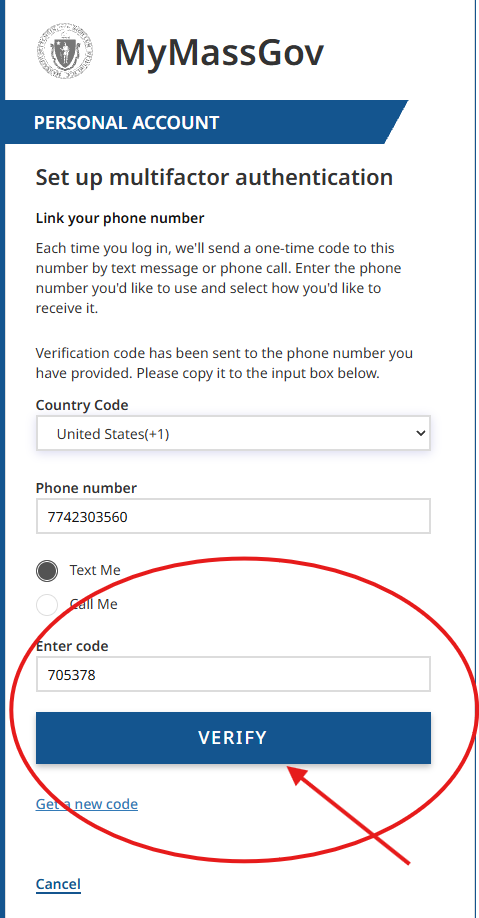
Click Verify
Step 8
Now You Are In!
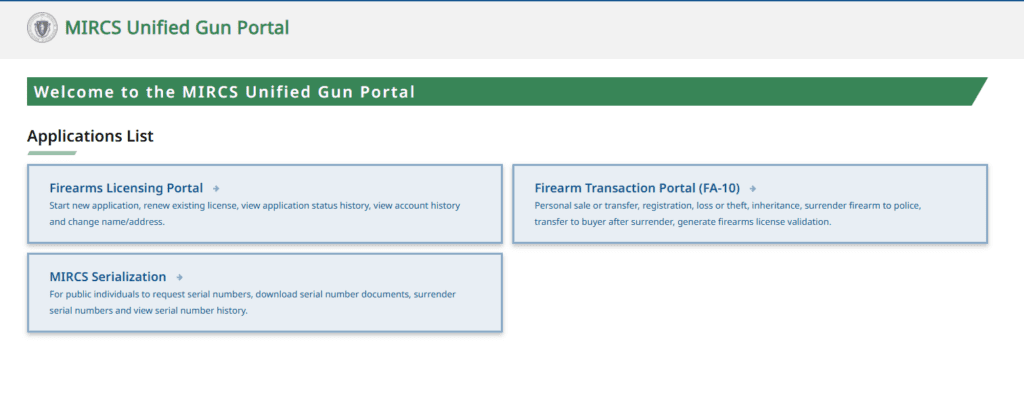
Click here for Instructions on Adding your FID or LTC to Your Account