We have moved to 176 Worcester-Providence Turnpike Sutton, MA. Come check out our new location!

MIRCS Unified Gun Portal Account Setup

Need help making a MIRCS portal to register or transfer a gun? This short guide we made should help. 

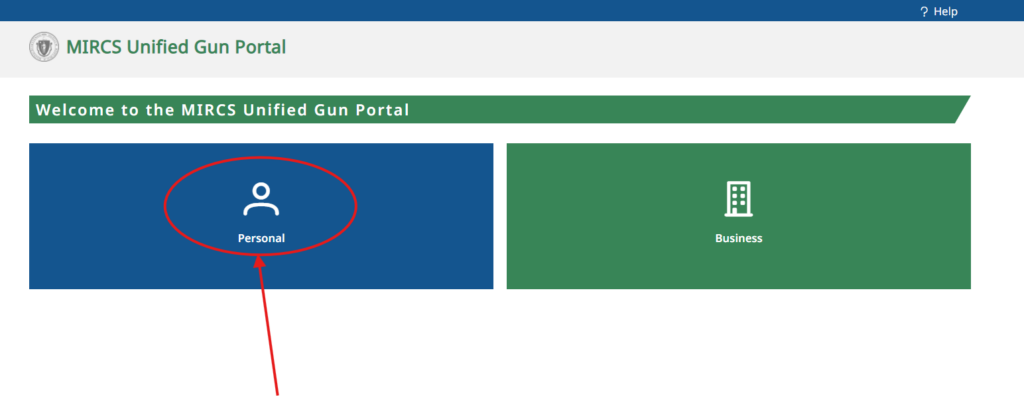
Step 1
Go the Portal and click on Personal. Use the red button above.

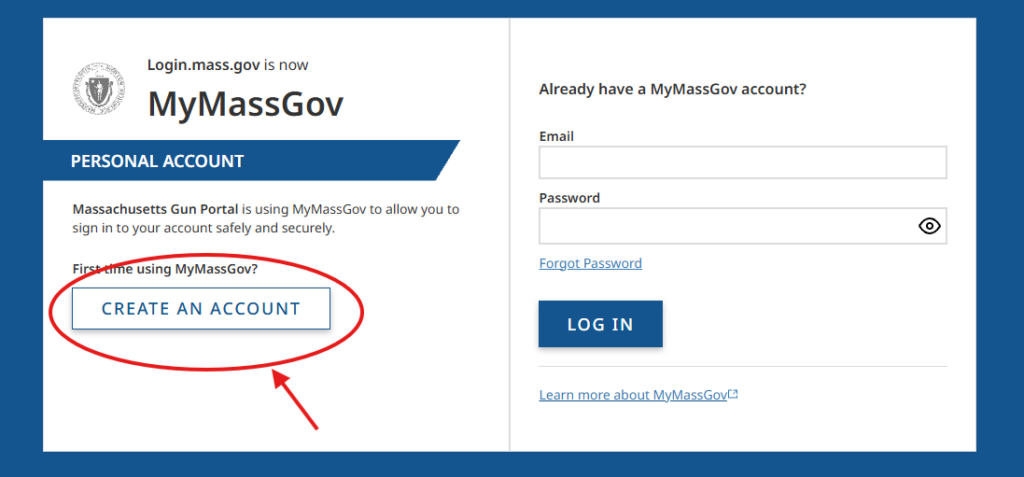
Step 2
Click on Create an Account

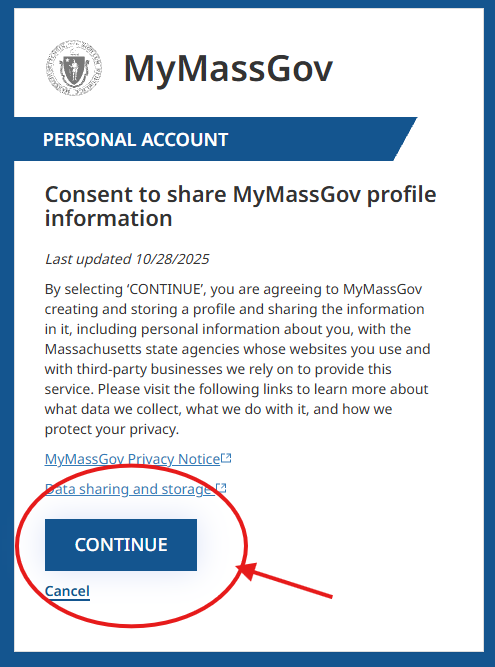
Click Continue to Get Past the Consent

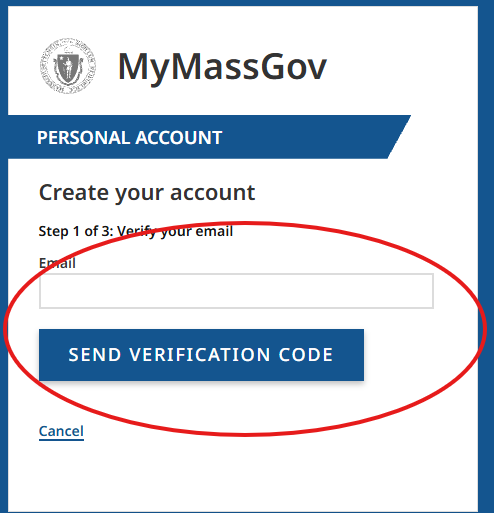
Step 3
Enter in your Email for a Verification Code and Click the Blue Send Button

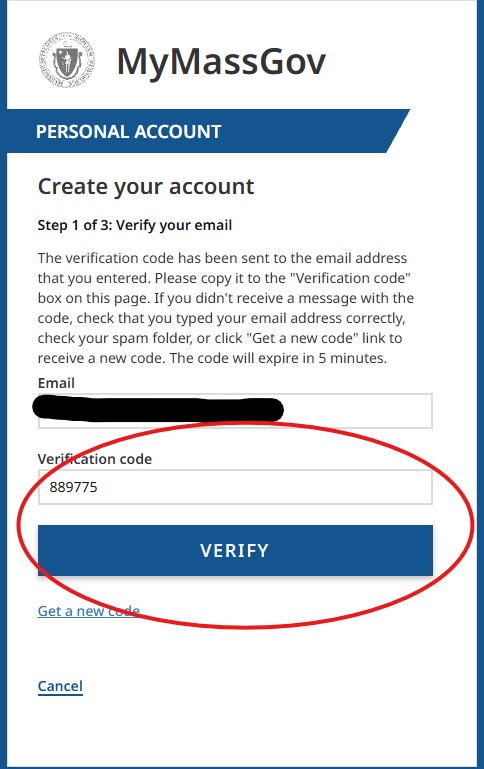
Enter the Code on the Next Screen and Click Verify

Step 4
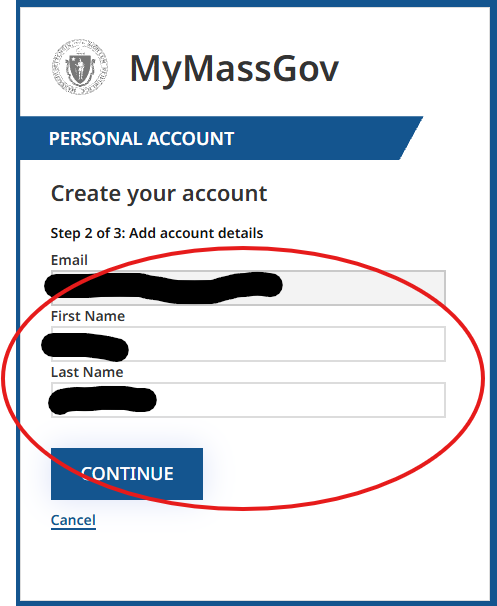
Enter in your First and Last Name

Step 5
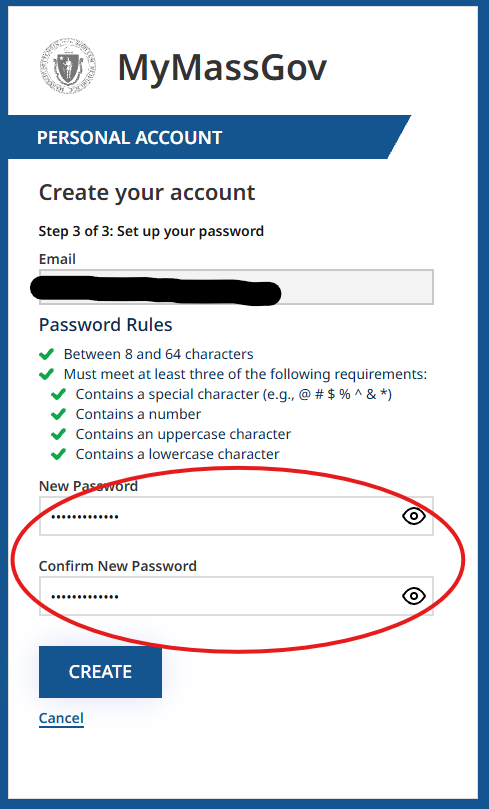
Create a Password and Save it Somewhere Safe

Step 6
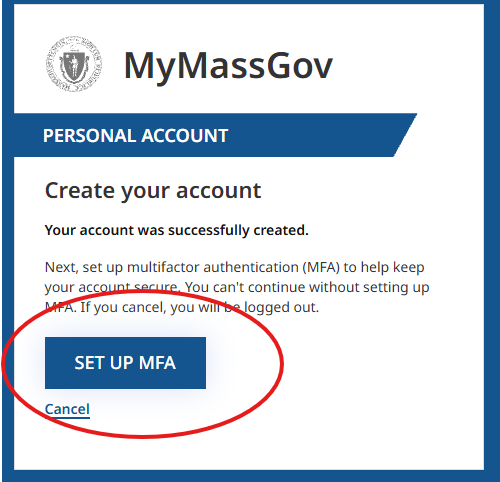
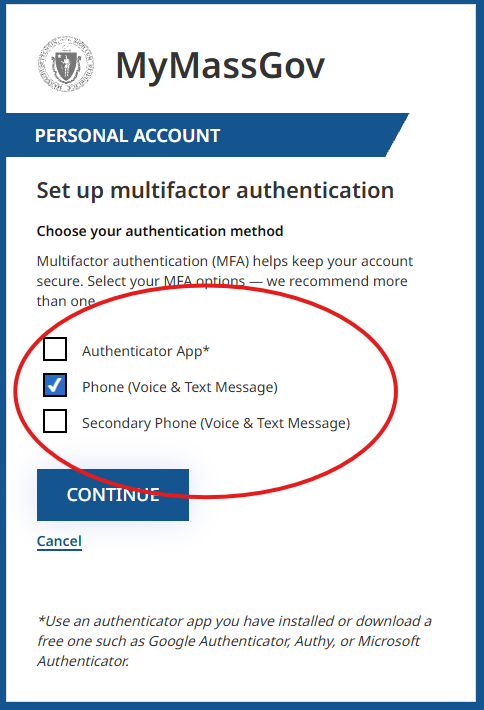
Set up Multi Factor Authentication

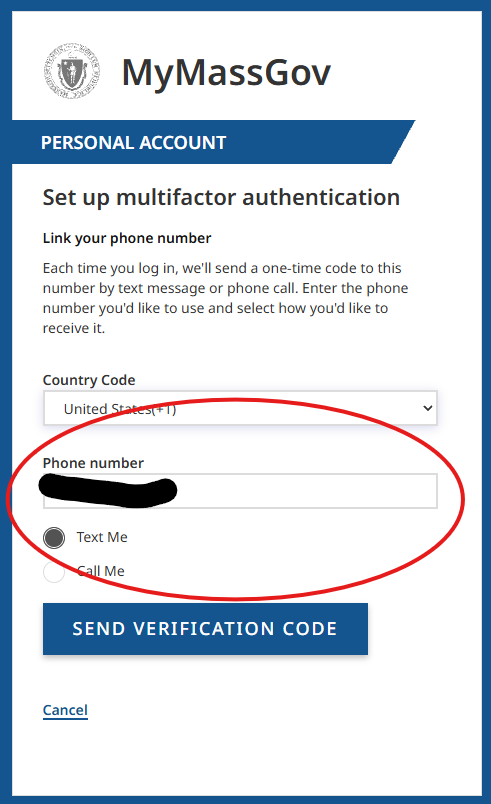
We Suggest Using a Phone Number as the Option

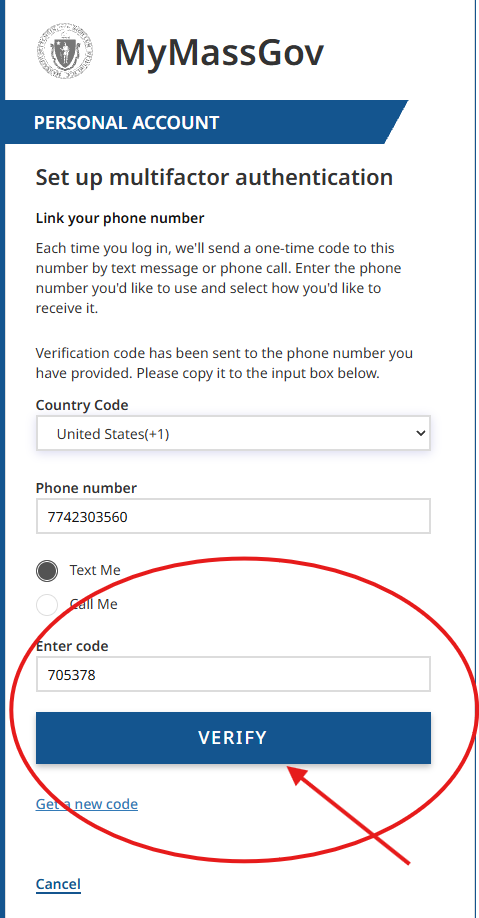
Click Verify

Step 8
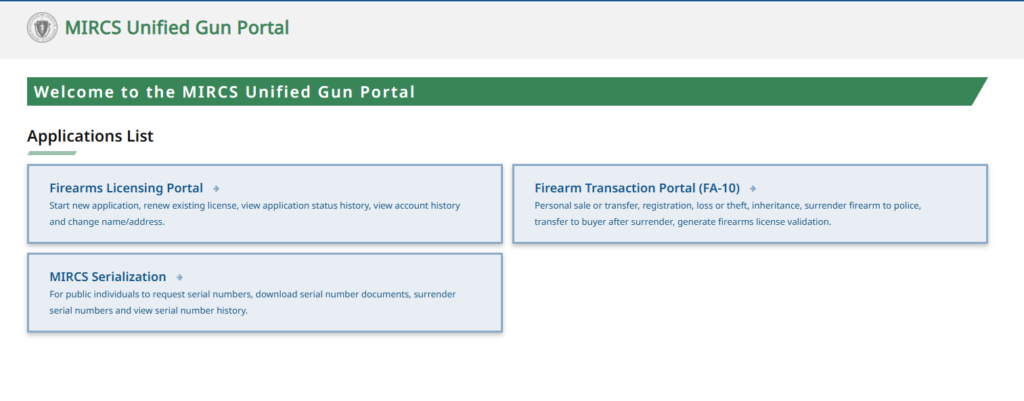
Now You Are In!